Using the Request Payment Feature for Stripe
The Request Payment feature for Stripe allows you to send out an email request to your customer for you customer to input and authorize their credit card payment information.
This feature is needed on credit cards with 3D Secure, however it can also be used by any operator with Stripe as a way for you to securely get your customer’s credit card information if needed.
How to Send a Payment Request
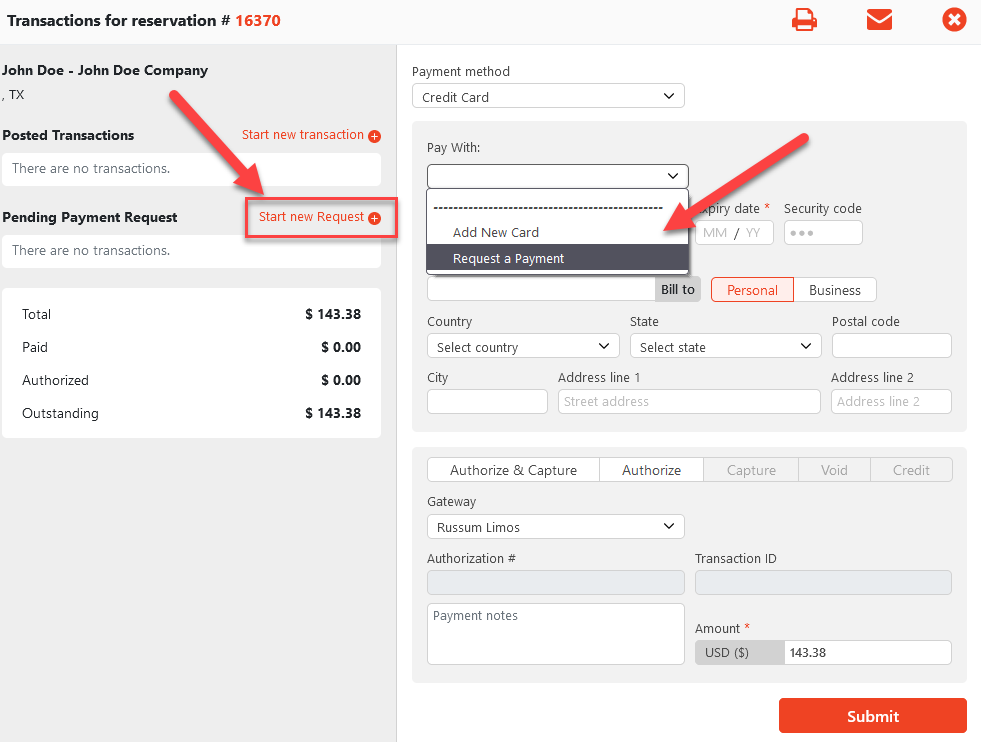
In any Payment Terminal (Reservation, Invoice, or Account), in the “Pay with” drop down select “Request a Payment”.
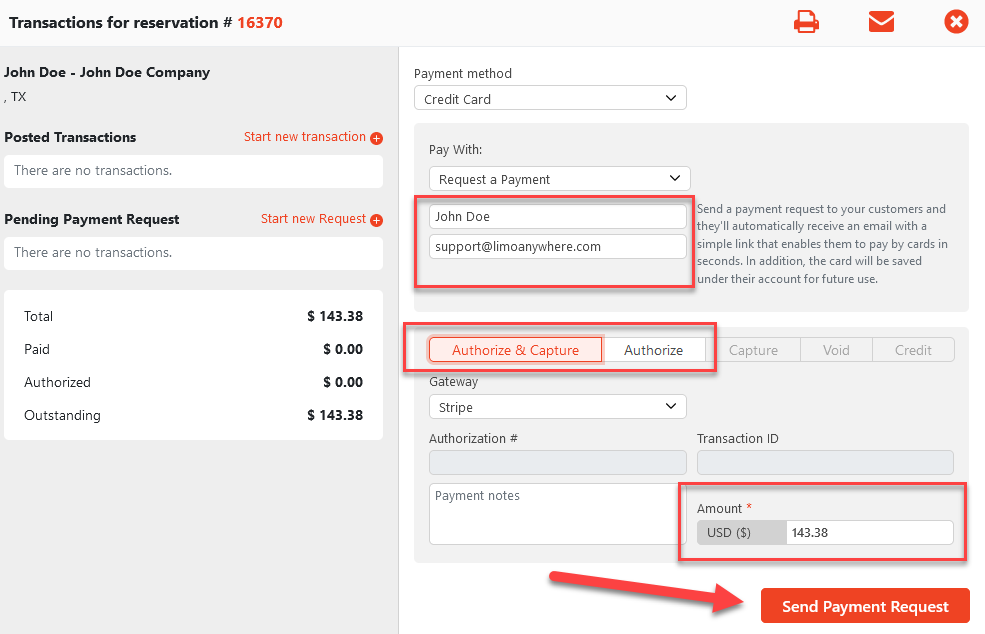
On the Request Payment form:
- Enter in the Name of the recipient
- Enter in their email address
- Select the type of transaction (Authorize & Capture or Authorize)
- Enter in Amount for transaction
- Click Send Payment Request
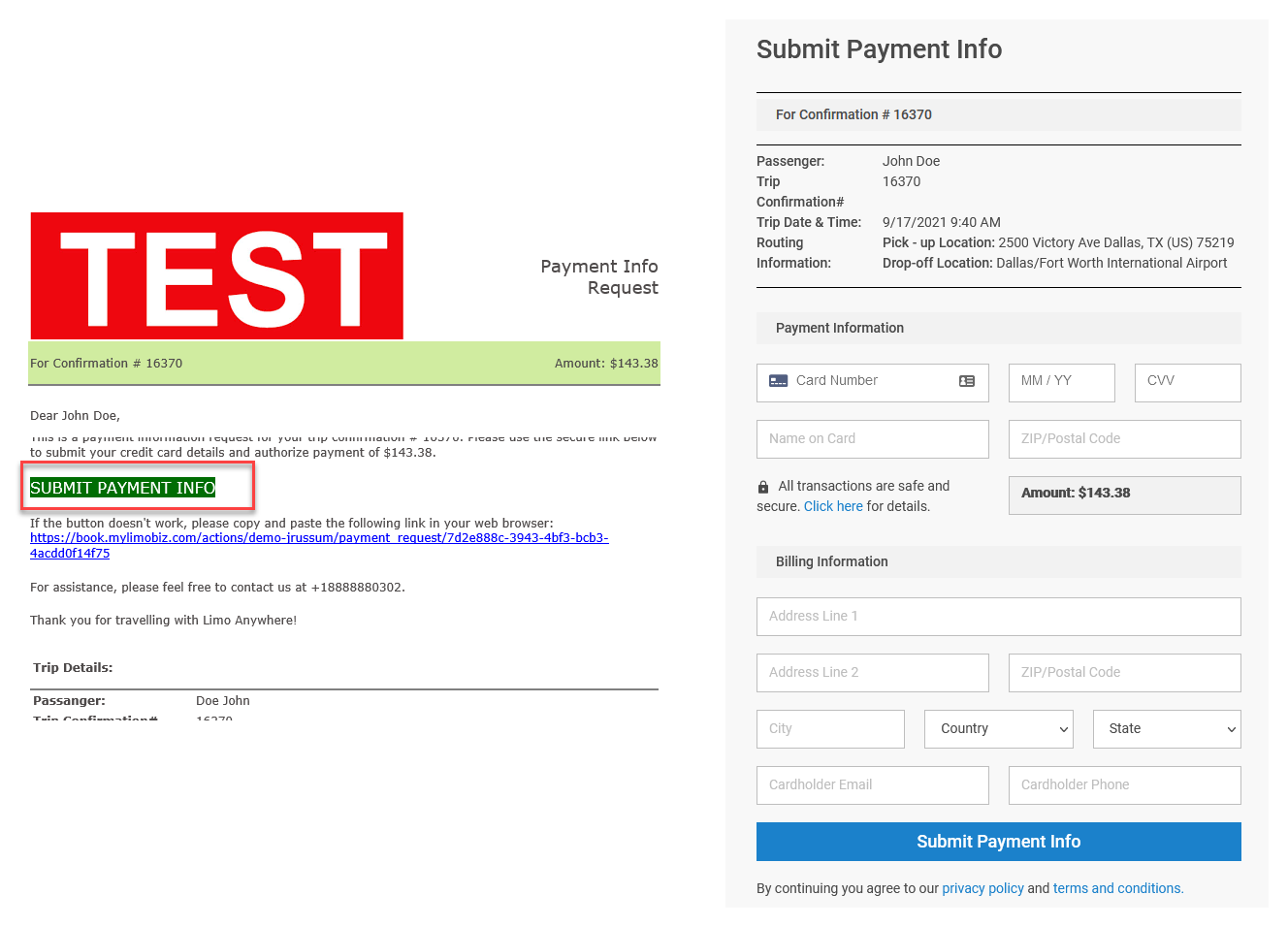
A Payment Request email will be sent out the recipient. This will include a link for them to click and enter in their Credit Card information on ORES.
Was this article helpful?
That’s Great!
Thank you for your feedback
Sorry! We couldn't be helpful
Thank you for your feedback
Feedback sent
We appreciate your effort and will try to fix the article