After an Invoice has been closed, you will not be able to change anything or adjust payments on an invoice. There may be a need for you to Reopen the invoice.
From the invoice, click the ‘Reopen’ button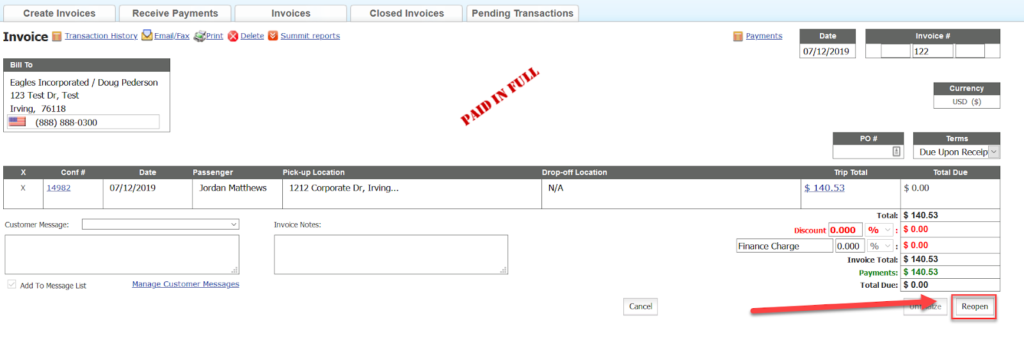
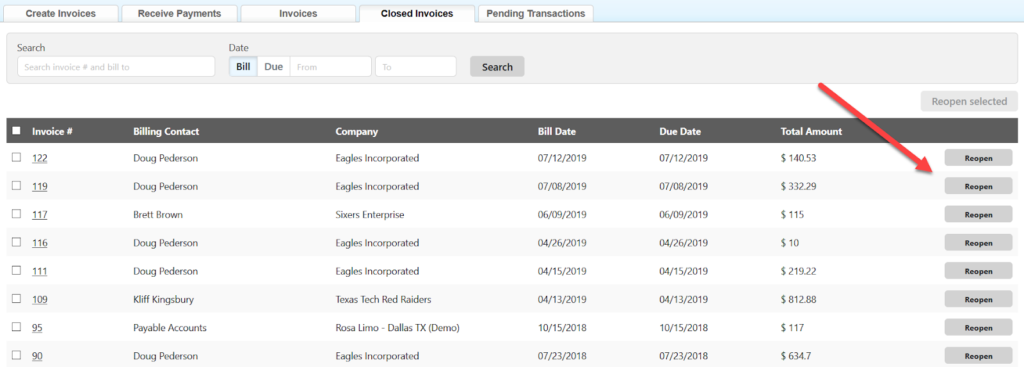
Additionally, you can reopen an invoice from the Closed Invoices tab in the Receivables section by clicking on the ‘Reopen‘ button for that invoice.
Was this article helpful?
That’s Great!
Thank you for your feedback
Sorry! We couldn't be helpful
Thank you for your feedback
Feedback sent
We appreciate your effort and will try to fix the article