“Request a Card” – A Secure and Seamless Way to Collect Payment Details
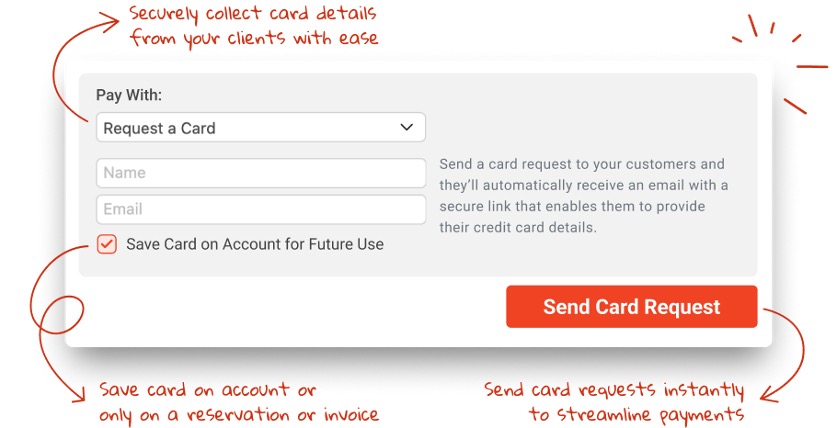
Managing payments securely and efficiently is crucial for any transportation business. With Limo Anywhere’s feature, Request a Card, operators using LA Pay Gateway now have a streamlined way to collect customer payment details—enhancing security, reducing manual data entry and ensuring smoother transactions.
What is Request a Card?
This feature enables you to send a secure email link to customers, allowing them to safely enter their credit card details. Once submitted, the system verifies the card with a $1 authorization (immediately voided) and securely stores it for future use on reservations, invoices, or customer accounts—depending on your preferences.
How Does It Work?
The Request a Card feature is similar to Request a Payment, but instead of charging the card, it simply stores the details for future use.
Send a Request:
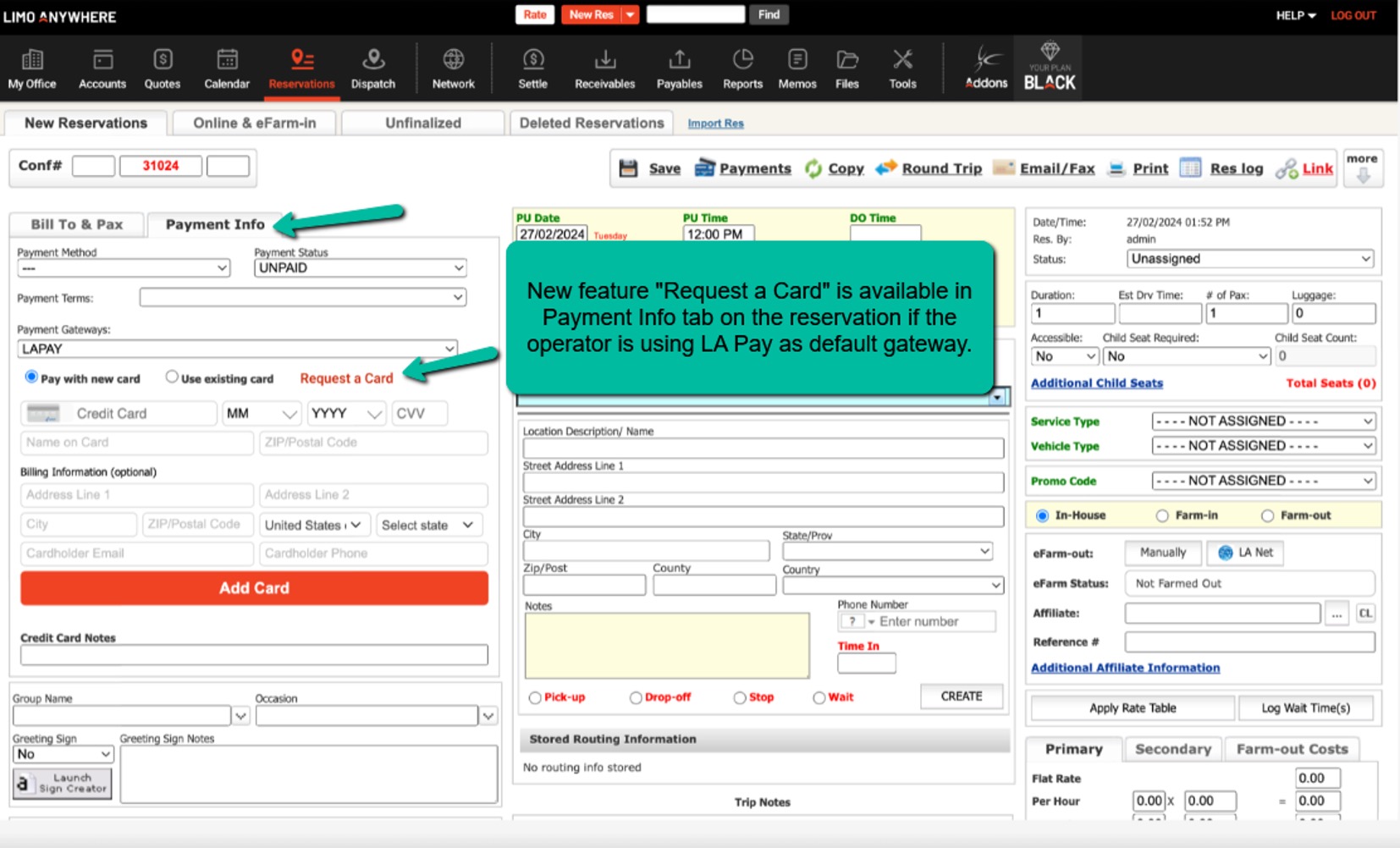
- From Reservations (Payment Info tab & Payment Terminal)
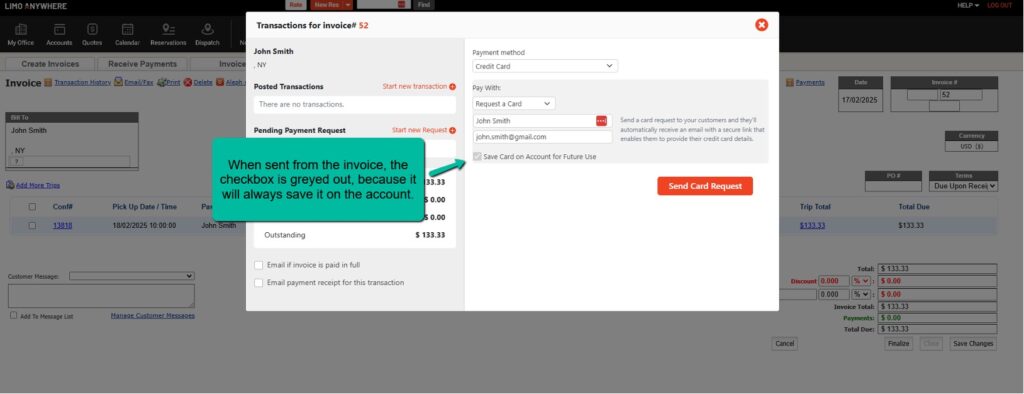
- From Invoices
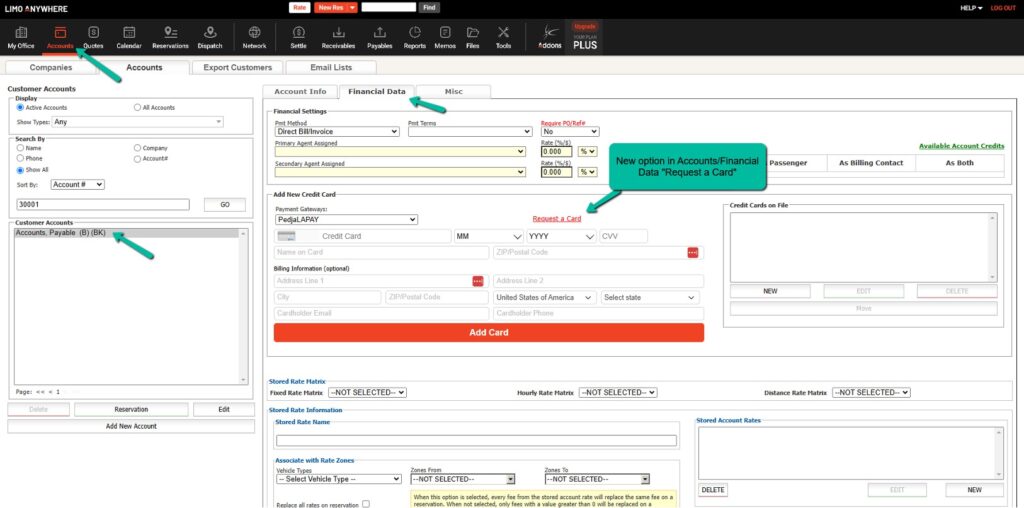
- From Account Section (Financial Data Tab)
Customer Receives a Secure Email:
- The email contains a link to a secure form where they can enter their payment details.
- The system verifies the card and securely stores it based on selected preferences.
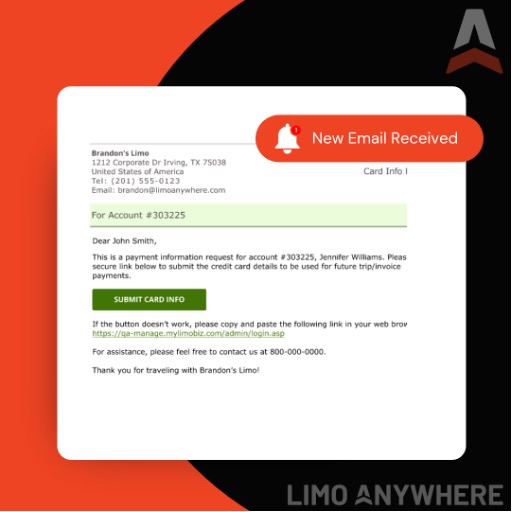 Example of the email “Request A Card” sent from Account, Account Trip and Invoice
Options for Saving the Card:
- ✅ Save Card on Account for Future Use – The card is stored for future transactions tied to that customer.
- ✅ Save Card on Trip or Invoice Only – The card is stored only for that specific transaction.
- ❌ Guest Trips – The card is stored on the trip, but not linked to an account.
Where Will You See This Feature?
Operators can access the Request a Card option from:
✅ Reservations – Payment Info tab
✅ Invoices – Payment Terminal
✅ Account Section – Financial Data tab
Benefits of Using Request a Card
? Enhanced Security
Instead of manually collecting and entering card details, this feature ensures customers provide their payment information through a secure, encrypted link—reducing risks associated with storing sensitive data.
⏳ Saves Time & Reduces Manual Entry
Eliminate the need to call customers for payment details or manually enter credit card information. Request a Card allows customers to enter their details at their convenience.
? Improves Cash Flow & Payment Processing
Having payment details securely stored means faster transactions when it’s time to process a charge, reducing delays in payments.
? Seamless Integration with Scheduled Messaging
With new scheduled message tags, you can automate reminders to customers to enter their payment details:
- #CARDREQUESTACCOUNT# – Request a card for an account.
- #CARDREQUESTTRIP# – Request a card for a specific trip.
- #CARDREQUESTINVOICE# – Request a card for an invoice.
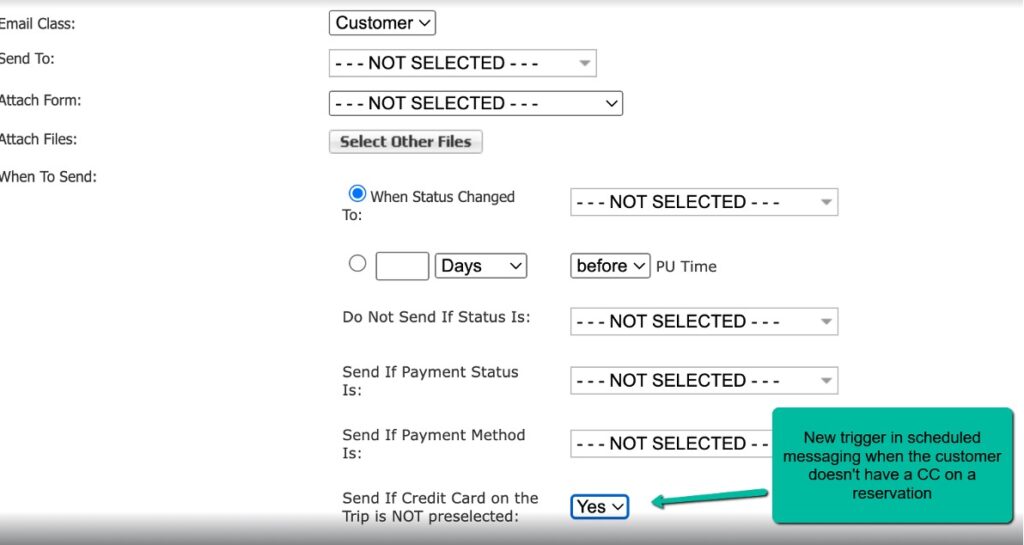
Additionally, a new trigger ensures an automatic email or SMS is sent if no credit card is preselected on a reservation.
For a step-by-step guide, check out the full release notes:
? February 20, 2025 Release Notes
Was this article helpful?
That’s Great!
Thank you for your feedback
Sorry! We couldn't be helpful
Thank you for your feedback
Feedback sent
We appreciate your effort and will try to fix the article