Setting Up Time Label Management
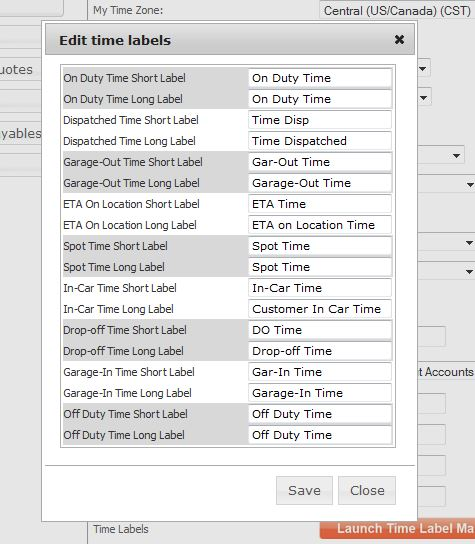
Time Label Manager allows each company to customize each time label in Limo Anywhere’s reservation screen and settlement screen. For example, ‘Drop Off Time’ could changed to ‘CODE 6 TIME’ or ‘Customer In Car’ to ‘POB’.
Managing Time Labels
- Click on the ‘My Office‘ icon in the toolbar.
- Select the ‘Company Settings‘ tab.
- Select the ‘Company Preferences‘ button.
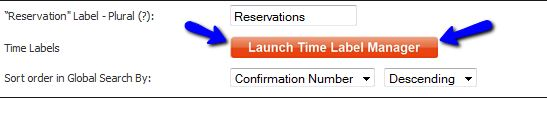
- Move down the page and click on the orange ‘Launch Time Label Manager‘ button (illustrated below).
- Change the ‘short label‘ fields.
- Click the ‘Save‘ button.
Was this article helpful?
That’s Great!
Thank you for your feedback
Sorry! We couldn't be helpful
Thank you for your feedback
Feedback sent
We appreciate your effort and will try to fix the article