In some markets it is necessary to protect passenger information on trips that you receive from affiliates. This information includes passenger names and contact information along with address routing details. If you Opt-in for Data Redaction this information will be removed from Farm In trips 30 days after the pick up.
In order to Opt-in for Data Redaction please follow these steps:
- Click the ‘My Office‘ icon.
- Click the ‘System Settings‘ button.
- Click the ‘Data Redaction‘ button.
- Select the checkbox titled ‘Opt-in for Data Redaction‘.
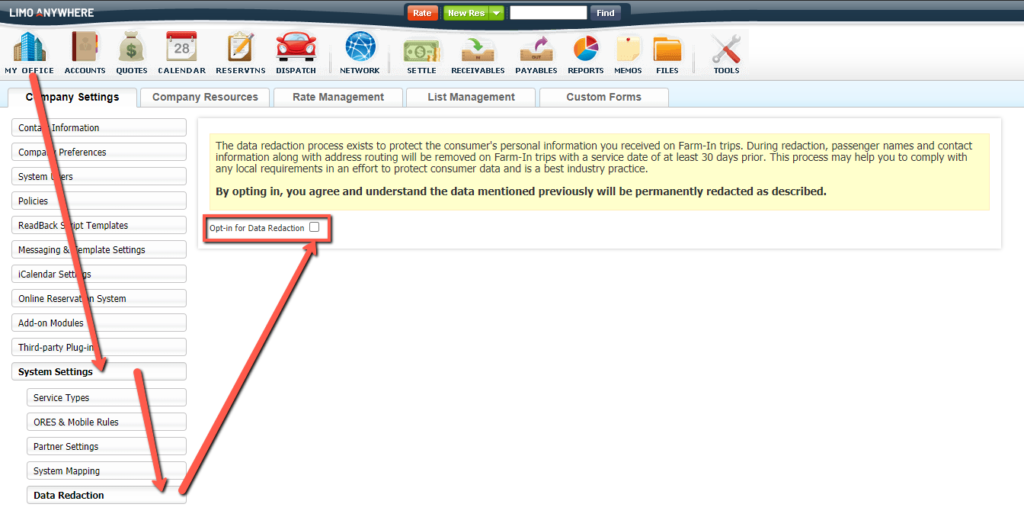
Please note that once information is redacted it is permanently removed.
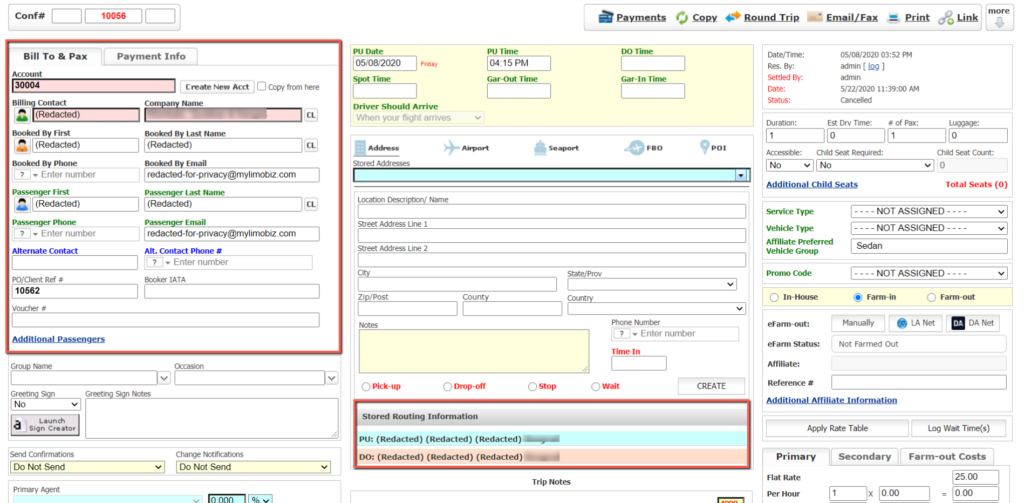
Example of redacted reservation:
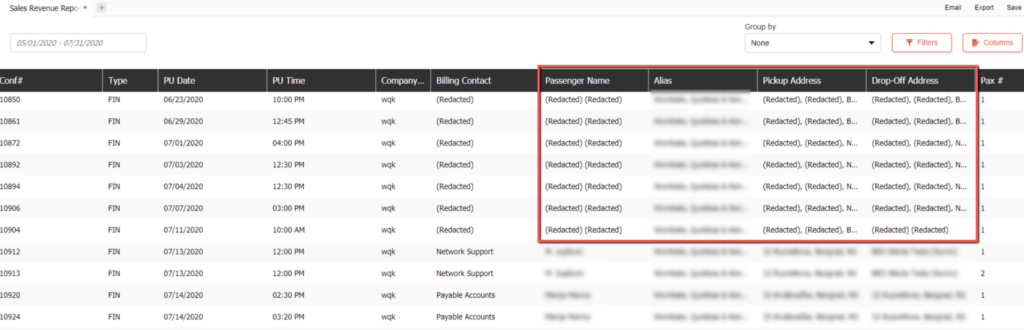
Example of redacted report:
Was this article helpful?
That’s Great!
Thank you for your feedback
Sorry! We couldn't be helpful
Thank you for your feedback
Feedback sent
We appreciate your effort and will try to fix the article