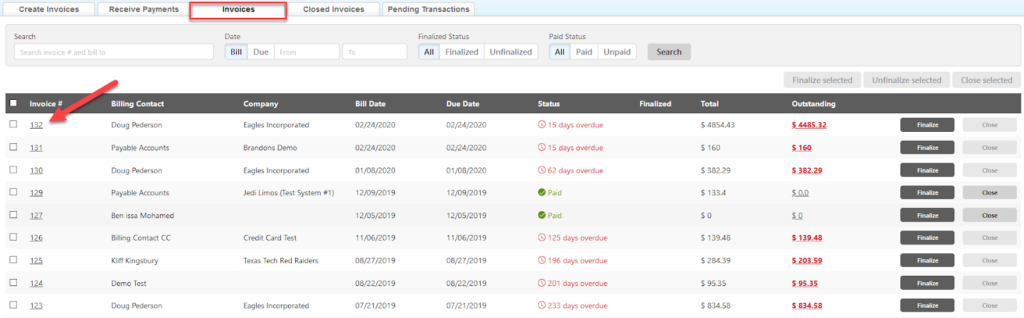
There are several different ways to open and view an invoice in Limo Anywhere. The most used way to open an invoice is under the Receivables section.
- Go to ‘Receivables‘.
- Click on ‘Invoices‘ tab.
- Click on the Invoice # (link).
Note: you can also open an invoice from Global Search results or Settlement window.
Once you have an Invoice open, you can modify the invoice if it is not Finalized. Just remember to click ‘Save Changes’ if you made any modifications.
Was this article helpful?
That’s Great!
Thank you for your feedback
Sorry! We couldn't be helpful
Thank you for your feedback
Feedback sent
We appreciate your effort and will try to fix the article