Limo Anywhere Mobile is a mobile application for iOS and Android . You can download and install Limo Anywhere Mobile from the App Store and Google Play Store. Direct Links to Limo Anywhere Mobile on each store are below.
NOTE: The new design and functionality shown in this article is available on the iOS app. The new update to Limo Anywhere Mobile on Android is coming soon.
Logging into Limo Anywhere Mobile
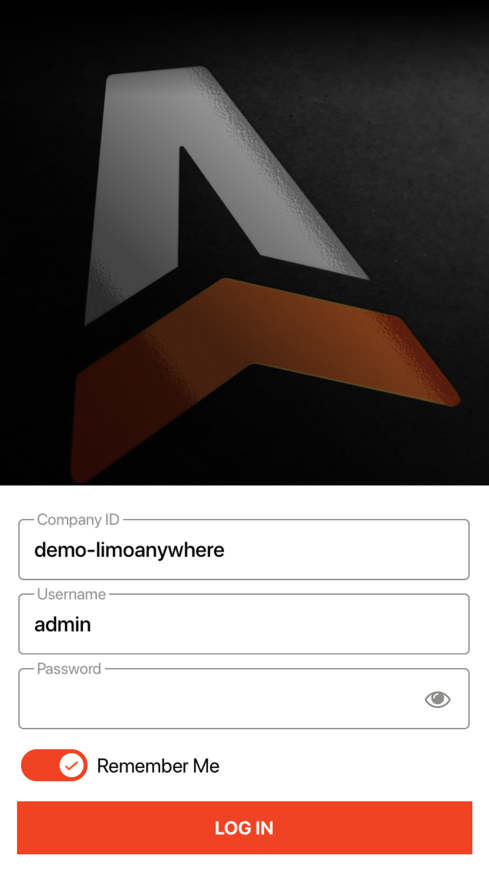
The credentials you will use for Limo Anywhere Mobile are the same credentials you use to login to your Limo Anywhere system on a web browser (https://manage.mylimobiz.com)
- Open up the Limo Anywhere Mobile app on your iOS or Android device
- Type in your Company ID
- Type in your Username
- Type in your Password (You can also view the password you typed by tapping on the eye icon on the right)
- (Optional) Enable “Remember Me” option if you want the device to remember your Company ID and Username
- Click Log In
Was this article helpful?
That’s Great!
Thank you for your feedback
Sorry! We couldn't be helpful
Thank you for your feedback
Feedback sent
We appreciate your effort and will try to fix the article