The Online Reservation System 4 has widgets for Quick Res and Account Login that you can use on your website.
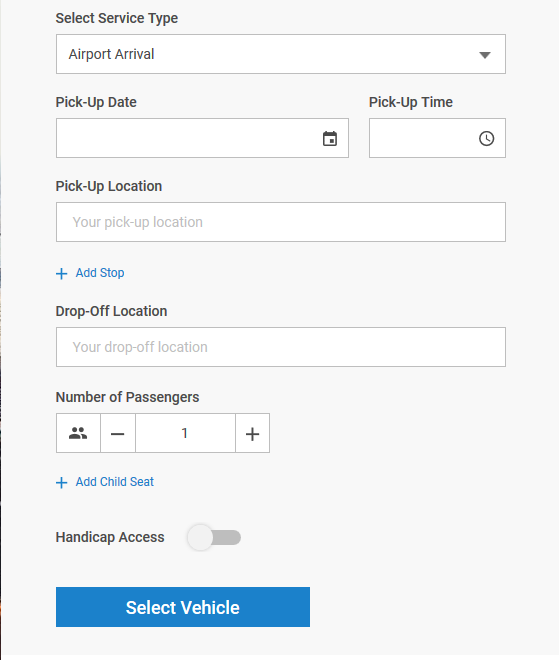
QuickRes: This is a slimmed down version of ORES 4 Step 1 for your customers to quickly enter in a reservation.
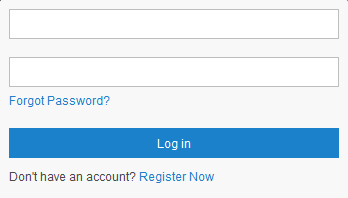
Login Form: This is a form that allows your customers to quickly log into their Account.
The codes for the widgets can be found by:
- Click on ‘My Office.’
- Click on the ‘Online Reservations button.
- Click on ‘Ores & Mobile’
- Click on ‘Widgets’ tab.
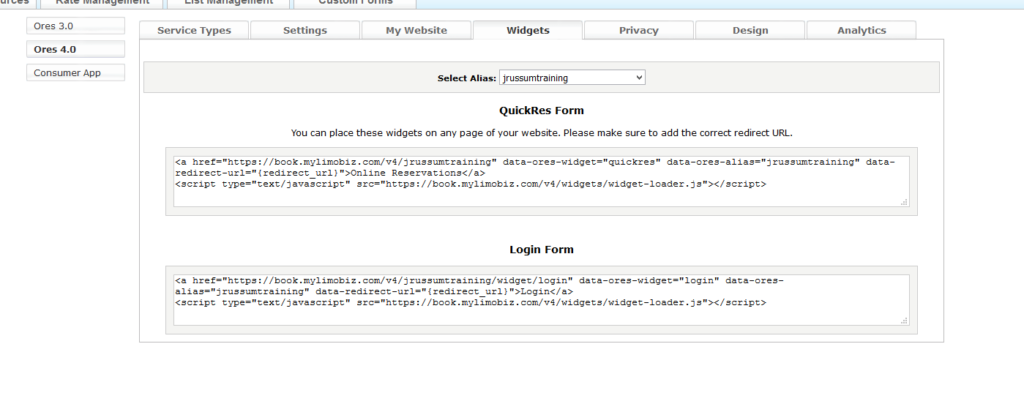
Example Codes:
QuickRes Form
<a href=”https://book.mylimobiz.com/v4/{companyid}” data-ores-widget=”quickres” data-ores-alias=”{companyid}” data-redirect-url=”{redirect_url}”>Online Reservations</a> <script type=”text/javascript” src=”https://book.mylimobiz.com/v4/widgets/widget-loader.js”></script>;
Login Form
<a href=”https://book.mylimobiz.com/v4/{companyid}/widget/login” data-ores-widget=”login” data-ores-alias=”{companyid}” data-redirect-url=”{redirect_url}”>Login</a>
<script type=”text/javascript” src=”https://book.mylimobiz.com/v4/widgets/widget-loader.js”></script>;
Note: You MUST have ORES 4 embedded on your website or linked to your website. This code can be found under:
- Click on ‘My Office.’
- Click on the ‘Online Reservations’ button.
- Click on ‘ORES & Mobile’
- Click on ‘My Website’ tab.
Replace {companyid} with your actual company id and {redirect_url} with the URL the ORES 4 code is on.
Example: My Company ID is ‘anywherelimo’ and the ORES 4 is embedded on http://widgets.la-examples.com/book.php
The code you would embed on your website for QuickRes Form is:
<a href=”https://book.mylimobiz.com/v4/anywherelimo” data-ores-widget=”quickres” data-ores-alias=”anywherelimo” data-redirect-url=”http://widgets.la-examples.com/book.php“>Online Reservations</a> <script type=”text/javascript” src=”https://book.mylimobiz.com/v4/widgets/widget-loader.js”></script>;
You can go to http://widgets.la-examples.com/ to see example.
Was this article helpful?
That’s Great!
Thank you for your feedback
Sorry! We couldn't be helpful
Thank you for your feedback
Feedback sent
We appreciate your effort and will try to fix the article