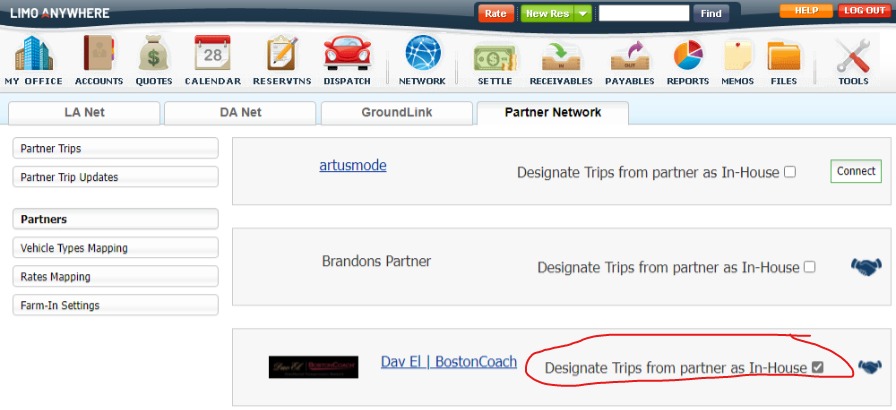
When you receive a trip from one of our integrated Partners, that trip is considered a farm-in trip. You are unable to farm-out a trip that was farmed-in to your company. There is a new setting which you can adjust to treat trips sent to you from a Partner as in-house trips instead of farm-ins, which will allow you to then farm the trip out to a downline operator. To adjust this setting:
- Click on the ‘Network’ icon.
- Choose the ‘Partner Network’ tab.
- Click on ‘Partners’ in the left side menu.
- Locate the partner in the list you wish to adjust and click on the option to ‘Designate trips from partner as In-House’ option.
Going forward, trips sent to your system from that partner should appear as In-house, which will then allow you to farm-out the trip if needed.
Note: this will not adjust already existing trips in your system.
Was this article helpful?
That’s Great!
Thank you for your feedback
Sorry! We couldn't be helpful
Thank you for your feedback
Feedback sent
We appreciate your effort and will try to fix the article